MM logo white 1
MM logo red
Image description is not available

The best laptops of 2026

Daan21 JANUARY 2026
Overhead shot of hands typing on a silver laptop against a light green background.

Almost everyone uses a laptop. Whether it’s for gaming, your studies or during work: a good laptop is important. In this article, you’ll read what to consider when choosing a new laptop and discover the best laptops right now for different uses.

What is the best laptop?

Woman in white shirt at a desk with laptop, notebook, and pen, smiling. Desk has plant and dishes. Large windows in background.

You choose a good laptop by looking carefully at what you want to use it for. For the best gaming laptop, for example, you need a powerful processor, while other criteria are more important if you mainly use the laptop for your studies or work. Also consider the operating system, such as Windows, ChromeOS or macOS, so it matches what you’re used to. The brand of the laptop also plays a big role here. Do you already have a brand you like to work with, or are you starting your search for a new laptop with an open mind? If you work on the go a lot, size matters: a light, compact laptop is easy to take with you. Features like long battery life, sufficient storage and a sharp display are also good to include in your choice. So think carefully about what you’ll use your laptop for and compare different models on those points to determine which is the best laptop for you.
How to choose a laptop that suits you

Best laptop for home use

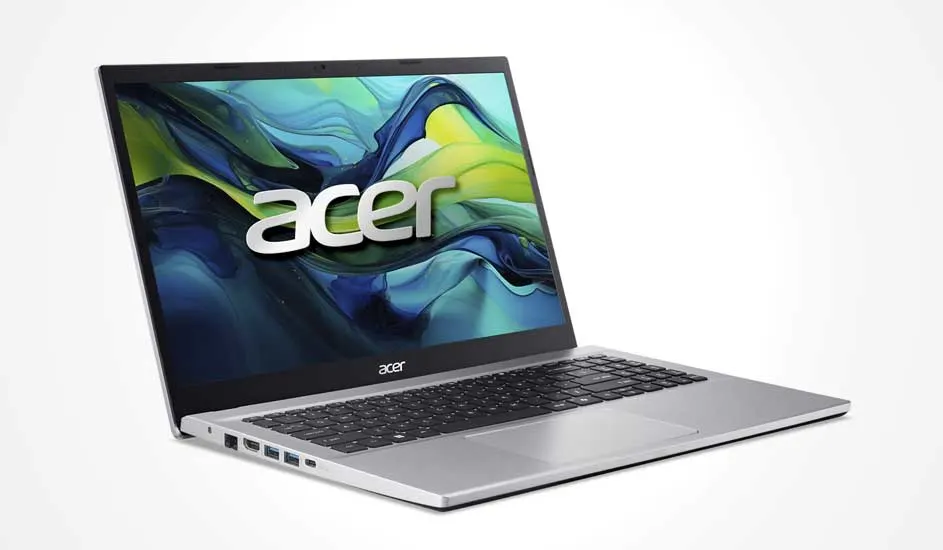
The Acer Aspire Go 15 AG15-42P-R6QL is an excellent choice for home use. With a 15.6-inch screen and a powerful Ryzen 7 5825U processor, this laptop offers enough performance for everyday tasks such as browsing the web, emailing and streaming videos. The 16 GB memory of this Acer Aspire Go makes smooth multitasking possible, while the 512 GB SSD provides sufficient storage space for your files and media. The Radeon RX Vega 8 graphics card is strong enough for playing simple games and small graphics applications. In short, this is a reliable and versatile laptop for home use.

Pros and cons:
+ Powerful Ryzen 7 processor for fast performance.
+ A roomy 16 GB of memory for smooth multitasking.
+ 512 GB SSD provides ample storage space.
– The graphics card is not powerful enough for playing big games.

Go to the Acer Aspire Go 15 AG15-42P-R6QL

Best laptop for business use

A slim silver laptop, open on white; large display with an abstract blue‑and‑orange angular shape, black keys and a wide trackpad.

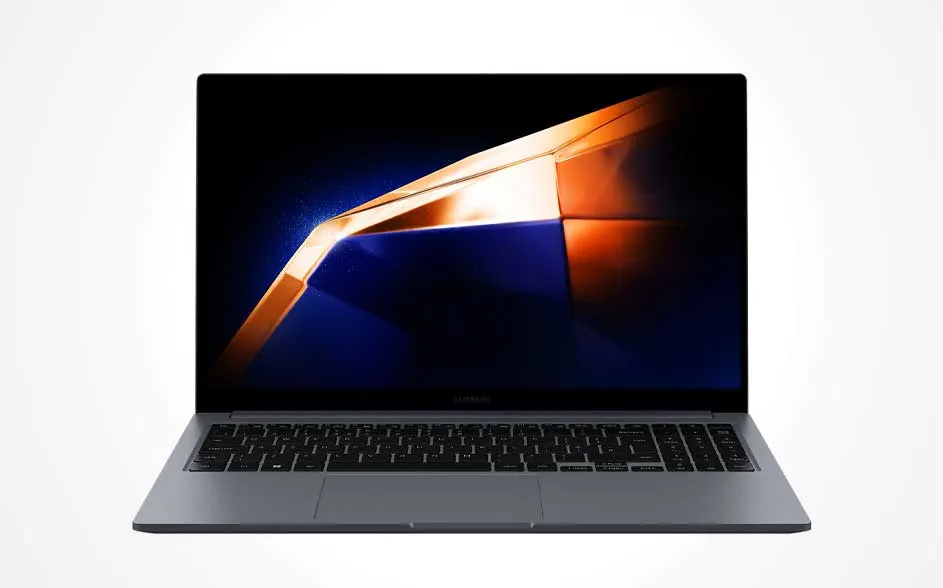
The Samsung Galaxy Book4 is a 15.6-inch laptop with a Full HD display, an Intel Core i7 processor, 16 GB of RAM and 512 GB of SSD storage. This combination delivers enough speed for many business tasks such as working with documents, presentations, browser tabs and video meetings. The screen is bright and has an anti-glare coating, which is pleasant during longer sessions. Thanks to Wi‑Fi 6 and Bluetooth 5.2, you can easily connect to the internet and other wireless peripherals. This Samsung laptop has various ports such as HDMI, USB‑C, USB‑A and even an RJ45 LAN port, so you can work without adapters. The chassis of this business laptop is slim and light, so you can also take it in your bag to work on the go on public transport or in a café.

Pros and cons:
+ Strong performance and fast SSD for business software.
+ Plenty of connectivity options without dongles.
- No support for using a touchscreen.

View the Samsung Galaxy Book4

Best Windows laptop

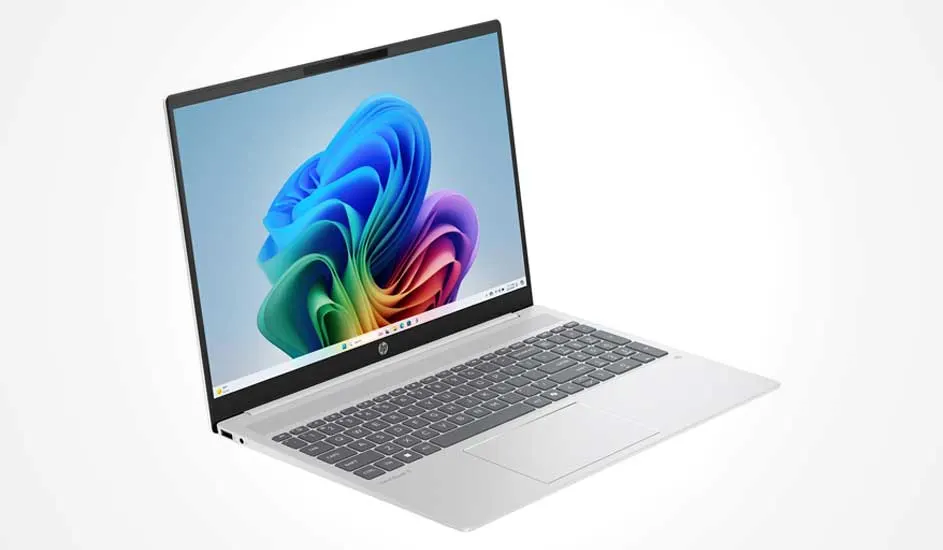
The HP Omnibook 5 16-bc1871nd is a powerful and elegant Windows laptop. It stands out with its beautiful metal chassis and large 16-inch display with WUXGA resolution. The internals are strong too. The AMD Ryzen 7 8840U processor delivers excellent performance, while the Radeon 780M graphics ensure a smooth visual experience. This makes it suitable for work, storing photos and videos, and games with a small file size. With 16 GB RAM and a 512 GB SSD, multitasking is second nature for this HP laptop.

Pros and cons:
+ Premium build quality with a metal chassis.
+ Ryzen 7 chipset delivers top performance at low power consumption.
+ Radeon 780M graphics for sharp visuals and light gaming.
– 16 inches is a fairly large screen size for a laptop.

Go to the HP Omnibook 5 16-bc1871nd

Best budget laptop

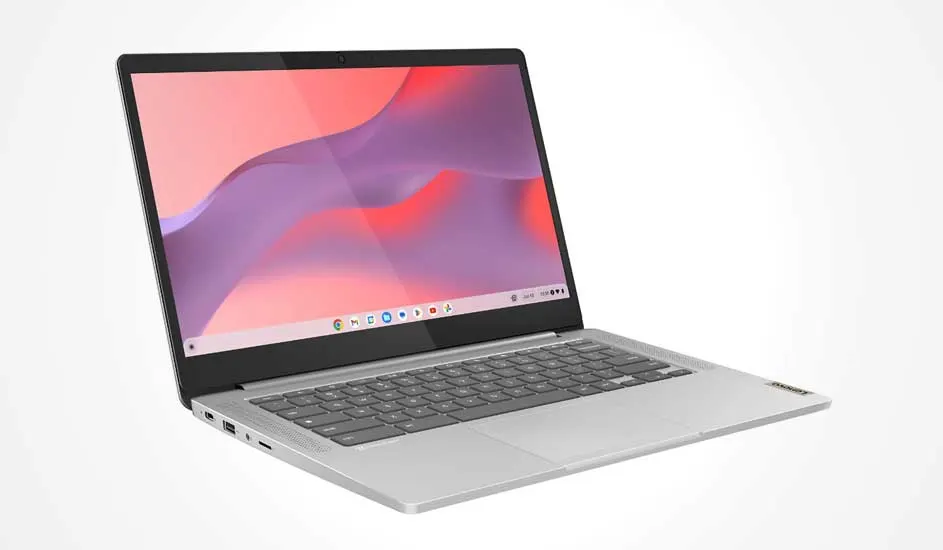
Do you want an easy-to-use laptop with basic functions? The Lenovo IdeaPad Slim 3 14M868 is designed for everyday tasks such as browsing, emailing and word processing. Thanks to ChromeOS, the Chromebook boots up in seconds and you work securely in the cloud. The MediaTek processor and 4 GB RAM are well matched to handle all your tasks. For example, to update your admin or store your documents for work or school use. Another advantage of this Chromebook is the powerful battery. With normal use, it will certainly last a full working day.

Pros and cons:
+ Very fast start-up and automatic updates via ChromeOS.
+ Compact and light: ideal for students or use on the go.
+ Store all your files in a secure cloud environment.
– At 64 GB, the storage capacity is quite limited.

Go to the Lenovo IdeaPad Slim 3 Chrome 14M868

Best 2-in-1 laptop

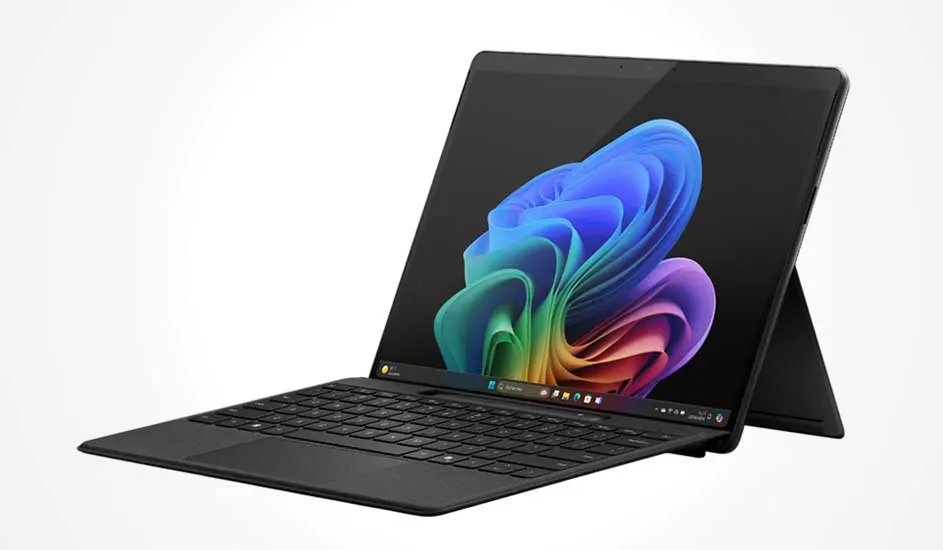
The Microsoft Surface Pro 11 Copilot PC combines the mobility of a tablet with the productivity of a laptop. Thanks to the powerful Snapdragon X Plus X1P processor, 16 GB RAM and built-in Copilot AI functionality, you work even smarter and faster. Features like Recall and Live Captions help you automate tasks and retrieve information effortlessly. In addition, the bright 13-inch PixelSense touchscreen and Adreno graphics provide smooth image rendering. The Microsoft Surface Pro is also lightweight, so you can easily pop it into your backpack.

Pros and cons:
+ 2-in-1 design offers the flexibility of a laptop and tablet.
+ Copilot AI features such as Recall and Live Captions increase productivity.
+ Powerful Snapdragon processor and long battery life for strong performance.
– The laptop is supplied without a charger (sold separately).

Go to the Microsoft Surface Pro 11 Copilot PC

Best 14-inch laptop

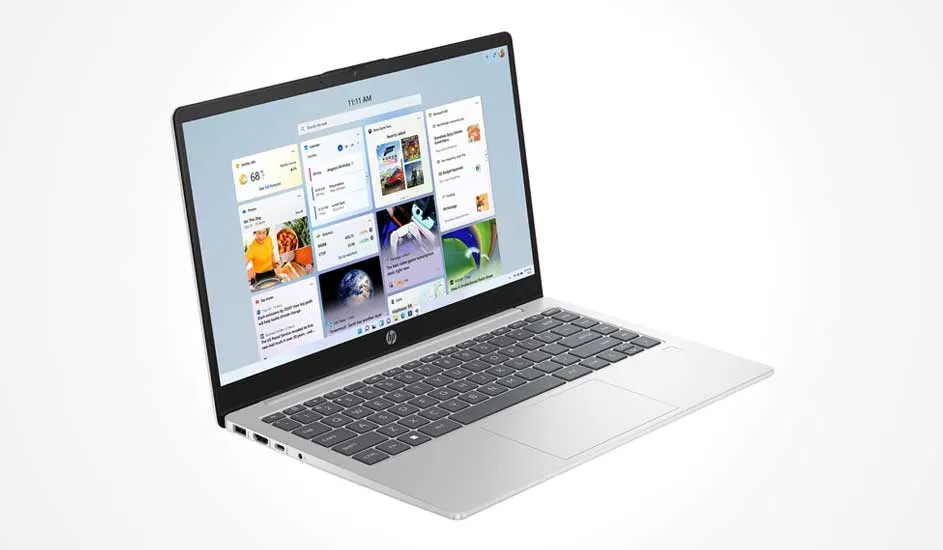
The HP Laptop 14-em0871nd offers the right balance between performance and portability. This slim 14-inch laptop is equipped with a fast AMD Ryzen 7 7830U processor, 16 GB RAM and a 512 GB SSD, allowing you to multitask effortlessly between documents, video meetings and your favourite streaming services. The battery life is large enough to get through an entire work or study day with this HP laptop. In addition, the Full HD display delivers vivid colours and sharp details, so you have everything clearly in view.

Pros and cons:
+ Powerful Ryzen 7 processor for everyday use.
+ The long battery life makes the laptop suitable for commuting, work or lectures.
+ Slim, light and stylish design with solid build quality.
– With 512 GB of storage, it’s not suitable for heavy games.

Got to the HP Laptop 14-em0871nd

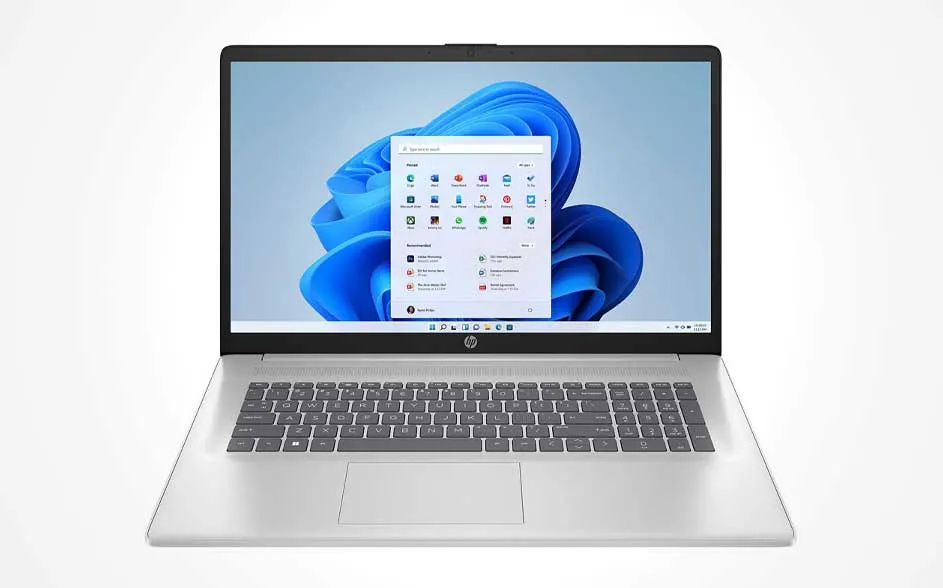
Best 17-inch laptop

A silver laptop on white, showing a blue wave wallpaper and the Windows Start menu; full keyboard and a large touchpad, seen straight on.

If you’re looking for the best 17-inch laptop, you’ll end up with the HP 17-cn4853nd. The large Full HD IPS display is great for working with documents or using multiple windows at the same time. Combined with the Intel Core i5-120U processor, 16 GB of RAM and the 512 GB SSD, it offers enough speed for everyday tasks such as browsing, emailing, word processing and video calling. This i5 laptop also has a Full HD camera and a dual-microphone system, so you’ll always be clearly audible and visible during video calls. You’ll enjoy stable wireless connections via Wi‑Fi 6 and Bluetooth 5.4. If you want to plug something in, you can do so via one of the ports with USB‑C, HDMI and USB‑A. In addition, the numeric keypad and HP Fast Charge help you work even more productively and charge more efficiently.

Pros and cons:
+ Large display ideal for productive work.
+ Fast SSD and enough RAM.
- Graphics performance is limited for demanding tasks.

View the HP 17-cn4853nd

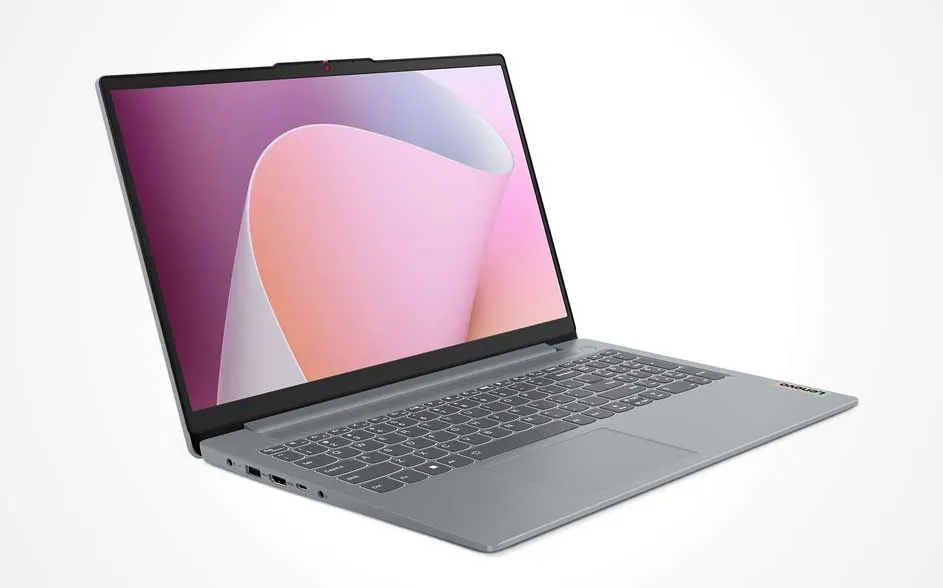
Best 15-inch laptop

A grey laptop at an angle on white, with a large display showing pink abstract shapes; slim bezels, chiclet keys and a wide touchpad.

The Lenovo IdeaPad Slim 3 15AMN8 has an even lighter design than the previous generation but is durable in everyday use. This 15-inch laptop can handle any knock or drop thanks to the military-grade quality standard. The bright Full HD IPS screen also has a low blue light certification, which helps reduce eye strain. That means you can comfortably watch a film or video, especially combined with Dolby Audio. This Lenovo laptop is a real multitasker. With the AMD Ryzen 5 processor and 16 GB of RAM, you can work on your texts, browse the internet and listen to your favourite music at the same time. What’s more, the 512 GB SSD allows it to start up quickly and load apps without long waiting times. The laptop has various ports, including USB‑C for fast charging. Security is also well covered thanks to the integrated 2-in-1 fingerprint reader.

Pros and cons:
+ Lightweight design that’s comfortable to carry.
+ AMD Ryzen 5 processor for multitasking.
- The graphics card is less suitable for heavy photo and video editing.

View the Lenovo IdeaPad Slim 3 15AMN8

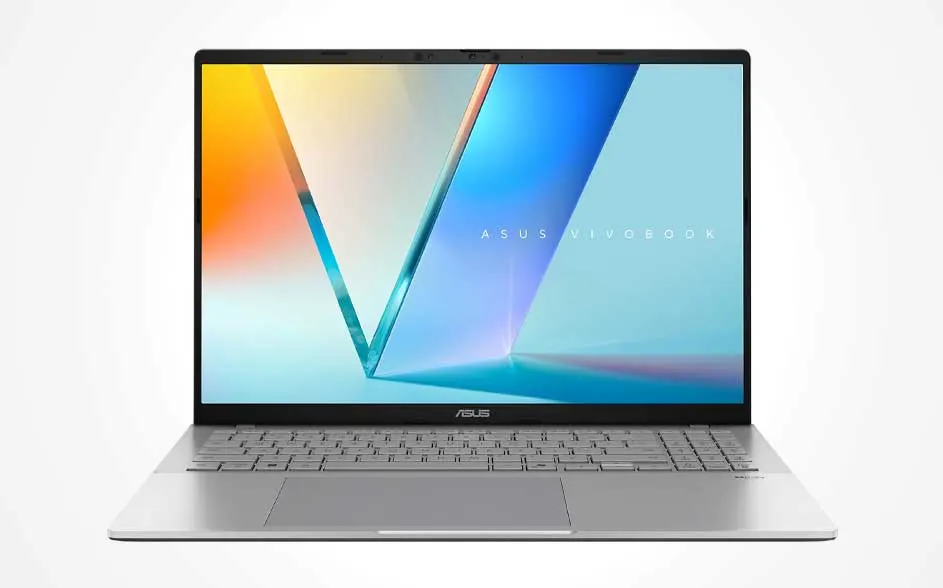
Best AI laptop

A silver laptop front-on on white, showing a colourful V-shaped graphic and “ASUS Vivobook”; full keyboard, large touchpad.

A laptop that makes your life easier with AI? Then the ASUS Vivobook S16 M3607HA-RP052W is your device. This 16-inch laptop supports AI via the AMD Ryzen AI 7 processor with a neural processing unit (NPU) to speed up tasks that use this technology, such as smart features in apps and operating system tools. It also has a dedicated Copilot key that gives you quick access to Microsoft Copilot AI tools in Windows. The built-in AI camera in this ASUS Vivobook works with Windows Hello facial recognition, so you can sign in quickly without needing to use a password. The large 16-inch screen displays images sharply, which is useful for work and videos. The ASUS laptop also comes with Windows 11, 32 GB of RAM and a 1 TB SSD.

Pros and cons:
+ AI features such as the Copilot key and AI camera for quick access and security.
+ Large SSD and plenty of memory for smooth performance.
- No touchscreen for direct on-screen interaction.

View the ASUS Vivobook S16 M3607HA-RP052W

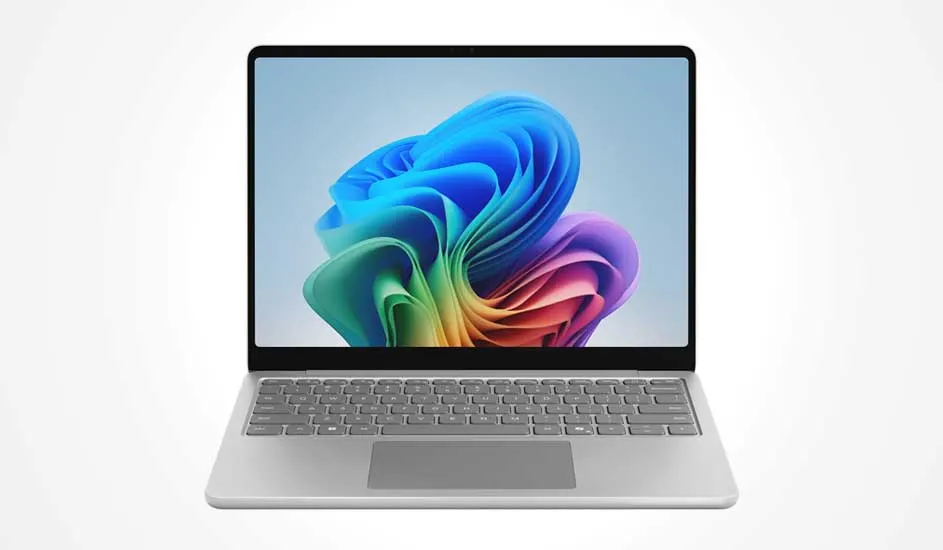
Best 13-inch laptop

Whether you’re studying, working from home or on the go, the 13-inch Microsoft Surface Laptop adapts effortlessly to your day. Thanks to the Snapdragon X 26-100 processor, 16 GB RAM and 256 GB SSD, everything starts up quickly and you can run multiple apps at once with ease. The PixelSense touchscreen of this Microsoft Surface Laptop offers a bright and sharp image, while the built-in Microsoft 365 Copilot AI helps you work smarter with features such as Recall, AI summaries and quick search options in Word, PowerPoint and Teams. With the lightweight design of this 13-inch laptop and the long battery life, you can take it anywhere so you stay productive at all times.

Pros and cons:
+ Microsoft 365 Copilot AI: work smart with AI features in Word, PowerPoint and Teams.
+ Powerful Snapdragon X 26-100 processor with 16 GB RAM for smooth multitasking.
+ Bright 13-inch PixelSense touchscreen for comfortable working and entertainment.
+ Light and portable with long battery life, ideal for on the go.

Microsoft Surface Laptop 13-inch

The best laptops at MediaMarkt

The best laptop for your situation depends on what you want to use it for. Are you a student or do you use the laptop for work? Then you mainly focus on having enough memory and storage. The screen size of the laptop doesn’t matter here. If you do consider this an important specification, remember that a larger display takes up more room in your bag and is often heavier too. If you’re looking for laptops with very specific requirements, we recommend reading our articles on the best laptops for photo editing and the best gaming laptops.

Which laptop suits me?

These articles may also be interesting for you