MM logo white 1
MM logo red
Image description is not available

Best printer of 2026

Daan8 FEBRUARY 2026
A person in a suit operates a large black office printer with a touch screen interface.

In a world that’s becoming increasingly digital, the need to print remains. For example, to be sure you can take that festival ticket with you in physical form, or because you simply still print documents regularly for work or study. Discover the best printers available right now.

What is the best printer?

Below is a list of the best printers:

  • Best printer for home use: HP Envy 6132e.
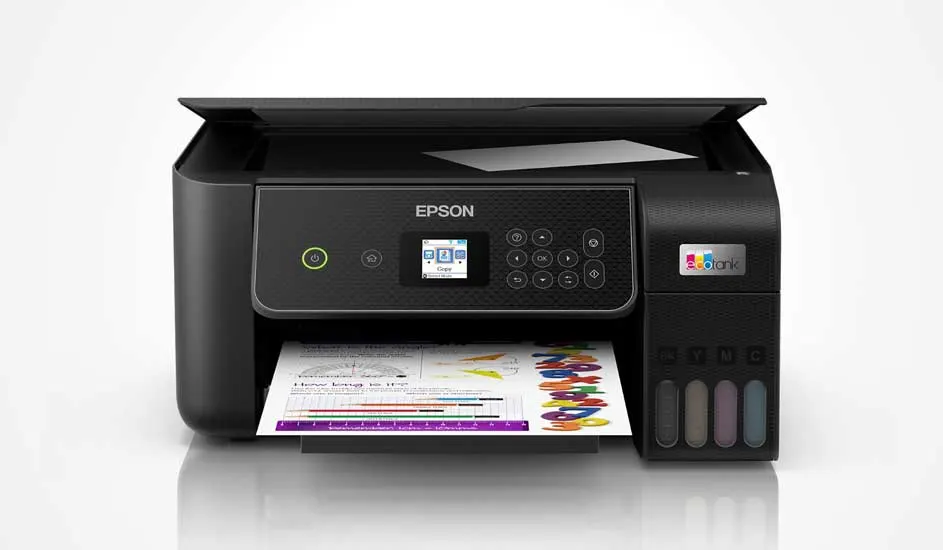
  • Best all-in-one printer: Epson EcoTank ET-2875.
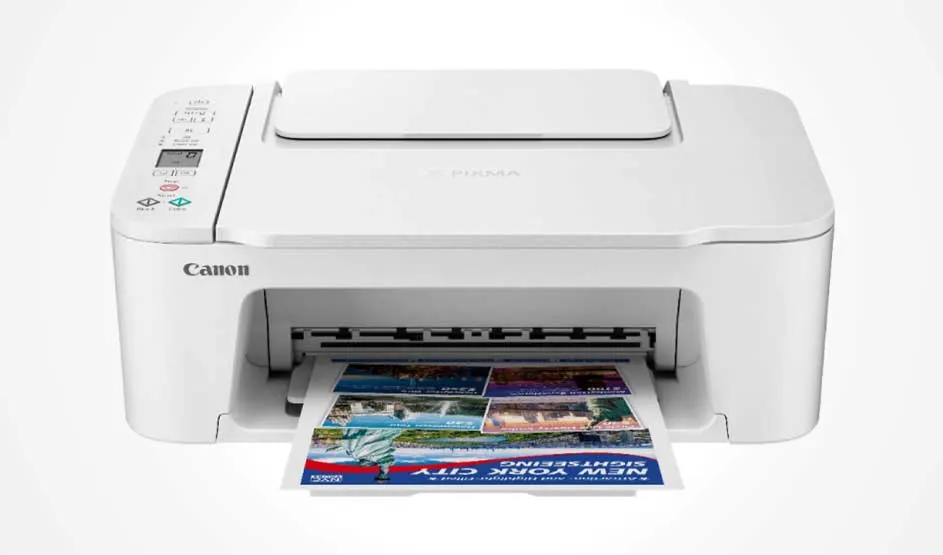
  • Best inkjet printer: Canon PIXMA TS3751i.
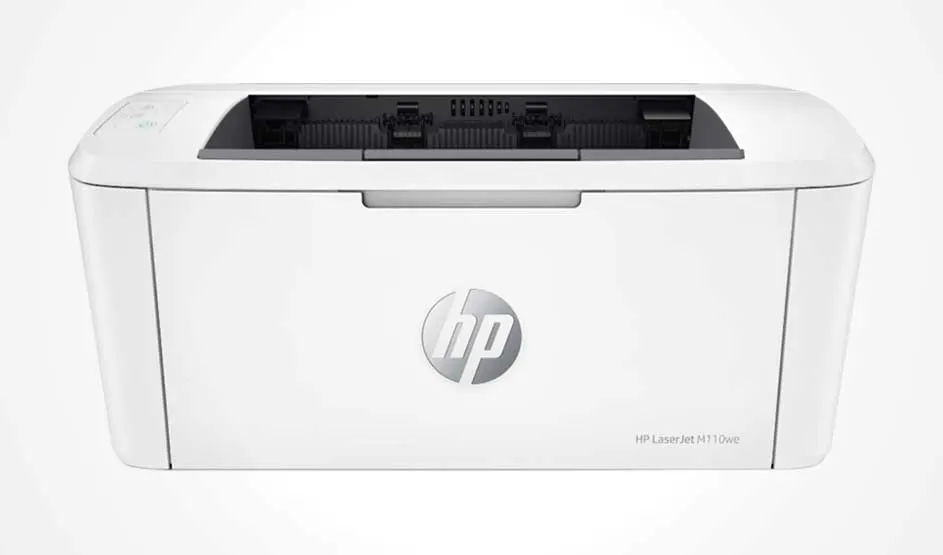
  • Best laser printer: HP LaserJet M110w.
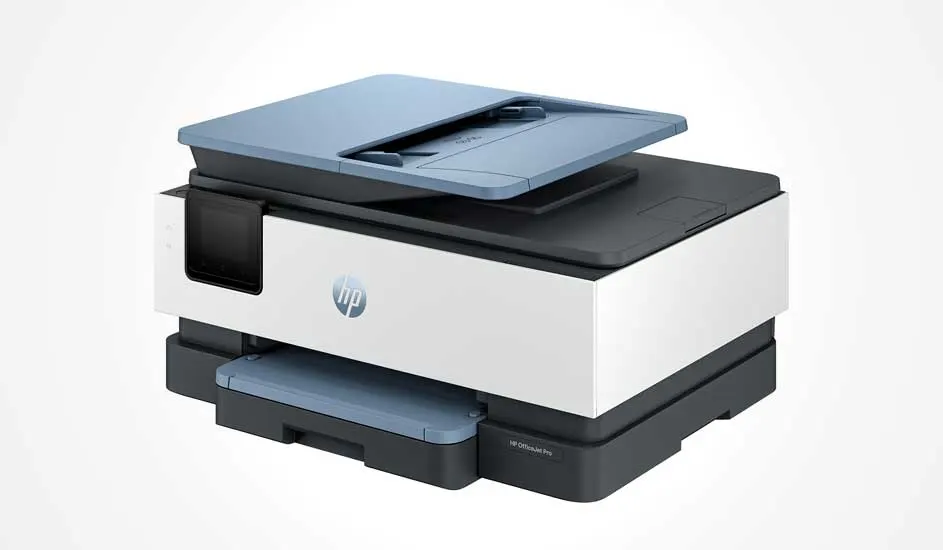
  • Best business printer: HP Officejet Pro 8135e.

A black printer sits on a wood-grain table against a white wall, with paper in the output tray.

Which printer is best for you largely depends on your needs and how you use it. If you only print a few times a month, you’ll need a different printer than if you print full reports or photo albums every week. A laser printer is ideal if you print a lot of documents, thanks to its speed and low running costs. Do you also print photos or images regularly? Then an inkjet printer is a good choice, because of its high colour quality. If you also want to scan or copy with your printer, go for an all-in-one model. Many models can be operated via an app, so you can easily print straight from your smartphone too.

Looking for a printer? We’ll help you choose
What is the best printer for home?

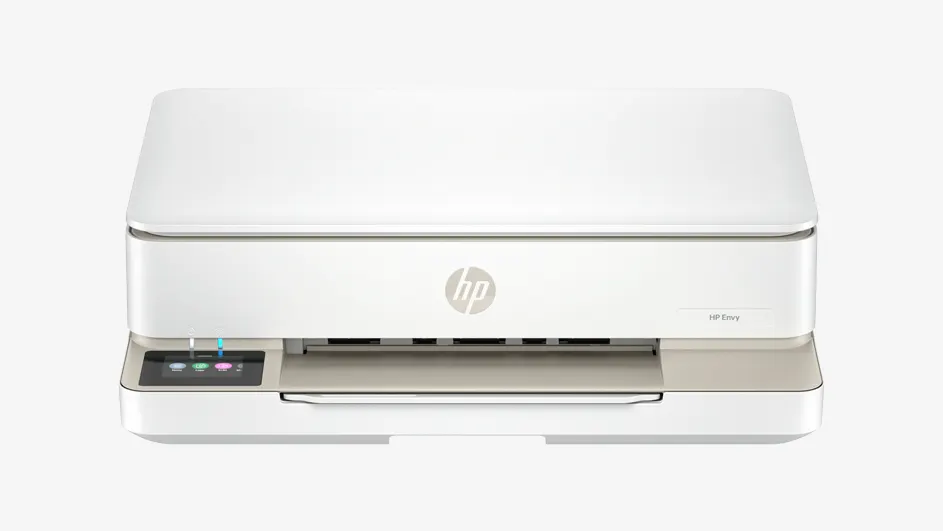
A white HP printer with a built-in front.

A home printer should be compact, easy to use, work wirelessly, and offer multiple functions such as printing, copying, scanning and faxing. The HP Envy 6132e is the best choice for this. This all-in-one printer is compact enough to fit on your desk, windowsill or in a cupboard. Using the diagonal 2.4-inch colour display, you can easily enter your print job. You can also do this remotely. Another advantage is that this wireless HP printer, with Wi-Fi connectivity, can be controlled from your smartphone using various apps, including the HP app and Apple AirPrint. With the rear paper feed, you can print up to 100 sheets, both single- and double-sided. This makes this HP Envy printer very suitable for home use.

Pros and cons
+ Compact printer that fits easily on your desk, windowsill or in a small cupboard.
+ Thanks to the HP app and Apple AirPrint, you can operate the printer very easily from your smartphone.
+ The printer has a fax function for securely sending reliable documents.
- The paper tray has a relatively small capacity of 100 sheets.

View the HP Envy 6132e

What is the best all-in-one printer?

A good all-in-one printer should be user-friendly, deliver high print quality, work wirelessly, and be able to print, copy and scan. The Epson EcoTank ET-2875 is the best all-in-one printer, mainly thanks to its innovative ink filling system with refillable bottles instead of cartridges. This makes printing much more cost-effective and sustainable. The control panel on the front of this Epson printer gives you full control over your prints, copies and scans. For example, you can easily set whether you want to print double-sided or single-sided. Thanks to Heat-Free Technology, components last longer. With one set of included ink bottles, you can print up to 4,500 black-and-white pages and 7,500 colour pages, making this all-in-one printer ideal if you print a lot and want to do so as cheaply as possible.

Pros and cons
+ Smart ink filling system with refillable bottles saves you money.
+ User-friendly control panel.
+ Print thousands of pages with one set of ink bottles.
- The printer isn’t suitable for printing photos.

Go to the Epson EcoTank ET-2875

What is the best laser printer?

A compact white HP laser printer on a light background, with the top paper feed/output slot and the HP logo on the front.

The HP LaserJet M110w is a compact laser printer focused on printing documents in black and white. This model is therefore especially suitable for home use or a small workplace where mainly text is printed. Thanks to laser technology, this HP LaserJet printer prints quickly, and text is sharp and easy to read. You connect the printer wirelessly via Wi-Fi, so you can also print from a laptop, tablet or smartphone using, among others, Apple AirPrint and the HP Smart app. The printer features HP Wolf Security to protect your print data and is also very sustainable to use thanks to recyclable cartridges and an automatic shut-off function. With this HP printer, you can print between 100 and 1,000 pages per month. This will of course depend on how often you print and how often you replace the cartridges.

Pros and cons
+ Prints documents quickly using laser technology.
+ Wireless printing via Wi-Fi and mobile printing options.
+ Strong print security and sustainable in use.
- Only suitable for black-and-white printing and has no scan or copy function.

View the HP LaserJet M110w

What is the best inkjet printer?

A white Canon printer on a light background, with left-side buttons and a colourful page coming halfway out of the output slot.

The Canon PIXMA TS3751i is a home inkjet printer that lets you print, copy and scan. The printer is suitable for printing documents and simple photos, even in colour. Thanks to Wi-Fi connectivity, you can print wirelessly from your computer, smartphone or tablet via, among others, the Canon PRINT app or Apple AirPrint. In addition, with the PIXMA print plan[SS1] you can have ink sent to you automatically, so you don’t run out. The flatbed scanner also makes it possible to digitise documents and images, helping you keep your digital administration or photo library up to date. Thanks to its compact design, this Canon Pixma printer fits easily on a desk or shelf, so it won’t take up unnecessary space.

Pros and cons
+ All-in-one printer with print, scan and copy functions.
+ Supports wireless printing via Wi-Fi and mobile apps.
+ Compact design that fits easily in your home office or computer room.
- The PIXMA print plan is not included with the printer as standard.

View the Canon Pixma TS3751i

What is the best business printer?

A good printer for your (home) office is multifunctional, prints quickly, and is easy to connect wirelessly to different devices. The best business printer is the HP Officejet Pro 8135e. This all-in-one printer offers high print speeds and supports both single- and double-sided printing. Copying, scanning and even faxing are possible with this HP OfficeJet printer. Thanks to the handy touchscreen, you can easily set up the printer, though you can operate it just as well from your laptop, tablet or smartphone. The paper tray holds 225 sheets, which is ideal for large print jobs. With the automatic document feeder, you can work hands-free, while the flatbed scanner quickly and easily scans or copies documents.

Pros and cons
+ Can copy, scan and fax.
+ Automatic document feeder for extra convenience.
+ Large paper tray with space for 225 sheets.
- Relatively heavy printer (8 kg).

Go to the HP Officejet Pro 8135e

The best printers at MediaMarkt

Looking for a printer that meets your wants and needs? For home use, the HP Envy 6132e is a great choice because it’s compact, wireless and multifunctional. The Epson EcoTank ET-2875 is the best all-in-one printer and uses cost-effective refillable ink bottles. The HP LaserJet M110w is the best laser printer right now and prints quickly, securely and sustainably. For colourful prints, choose the Canon PIXMA TS3751i inkjet printer, which supports various formats. Looking for a printer for business use? The HP OfficeJet Pro 8135e offers high speeds, a touchscreen, and can even fax. All models work wirelessly and can be operated via smartphone apps for optimum ease of use.

How to install a printer

These articles may also be interesting for you