MM logo white 1
MM logo red
Image description is not available

Lost AirPods? Here's how to find your Apple earbuds and case.

Femke7 DECEMBER 2025
White wireless earbuds in an open charging case, shown over a city map background to suggest the AirPods can be easily located.

AirPods are a daily essential for many people, but they are also small and wireless. It can easily happen that one or both earbuds are suddenly missing from their case. On this page, you’ll find a clear step-by-step guide covering all the ways to locate your AirPods: via the map, using ‘Precision Finding’, and by playing a sound. We explain what’s possible for each model (such as AirPods Pro 2 and Pro 3) and show you how to track not only your earbuds but also your charging case specifically.

Find AirPods via ‘Find My’ app

Lost your AirPods? With the ‘Find My’ app on your iPhone, iPad, Mac, or Apple Watch, you can locate any generation of AirPods. AirPods 1, 2, and 4 (without ANC) only show the last known location. If your wireless earbuds are out of battery or out of range, you’ll only see that spot in the app. For AirPods 3, AirPods 4 with ANC, all AirPods Pro models, and AirPods Max, you can view their location for up to 24 hours, even if you’re not nearby. If you are close, you can (on some models) use ‘Precision Finding’. Here’s how to view the location of your AirPods in the ‘Find My’ app:

  1. Check the pairing. Before using your AirPods, you must connect them once to your iPhone, iPad, Mac, or Apple Watch. After that, they will automatically appear in the ‘Find My’ app under your devices.
  2. Locate your AirPods via ‘Find My’. Open ‘Find My’ on your iPhone, iPad, Mac, or Apple Watch. Go to ‘Devices’ and select your AirPods. View their location on the map.

Which AirPods do you choose?
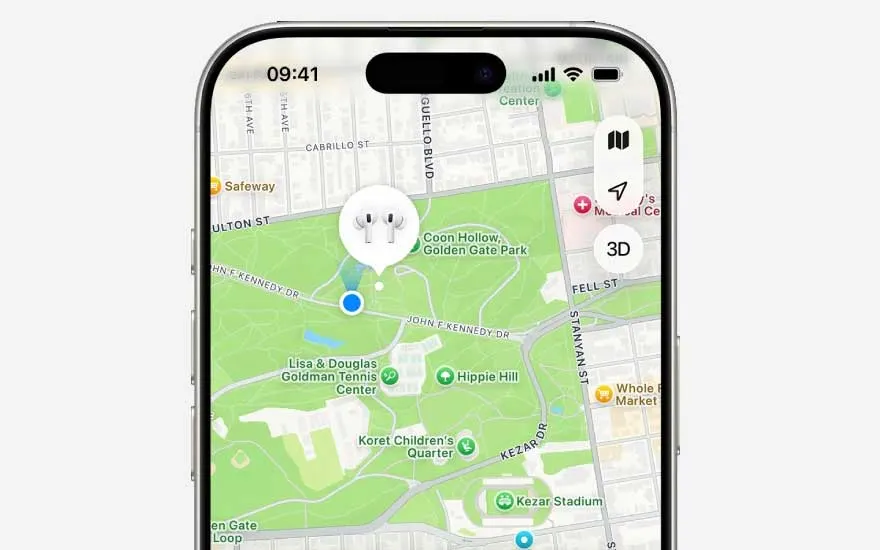
Smartphone screen displays a city park map with an earbud icon, clearly marking the precise location of the wireless headphones.

How accurate is the location of AirPods in the ‘Find My’ app?

The location shown in the ‘Find My’ app is very accurate, down to a few metres, thanks to GPS, Bluetooth, and Wi‑Fi. For models with a U1 or U2 chip (such as AirPods Pro 2 and Pro 3), it’s even more precise: with ‘Precision Finding’, you can see the position down to the centimetre.

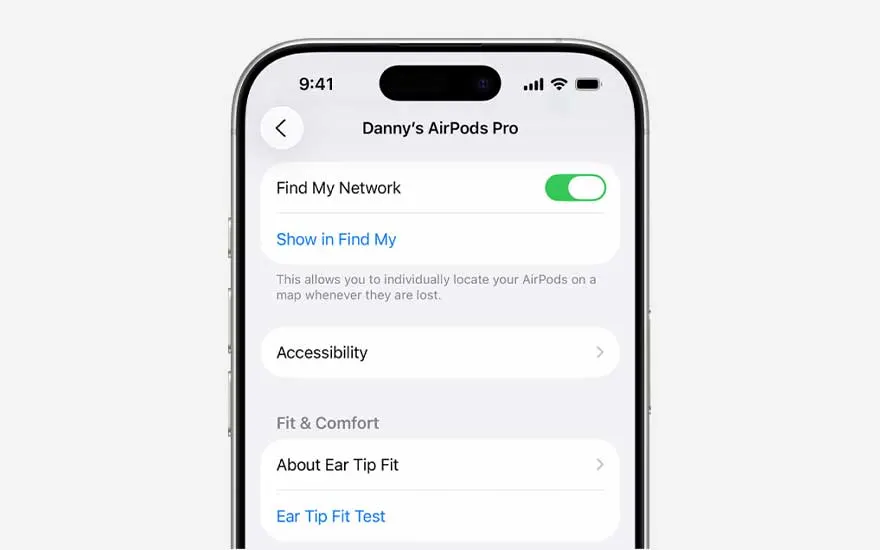
Smartphone settings for AirPods Pro display the Find My network switch, accessibility options and menus focused on fit and wearing comfort.

Can you locate powered-off AirPods via ‘Find My’?

You can only locate your AirPods if you’ve enabled the ‘Find My’ network. This must be done before you lose them. Here’s how to turn on the ‘Find My’ network:

  1. Make sure your AirPods are connected to your iPhone or iPad.
  2. Open the settings on your iPhone or iPad.
  3. Tap on your AirPods at the top of the screen.
  4. Scroll down and enable ‘Find My Network’.

What if your AirPods won’t connect?

View and locate your AirPods on the map nearby

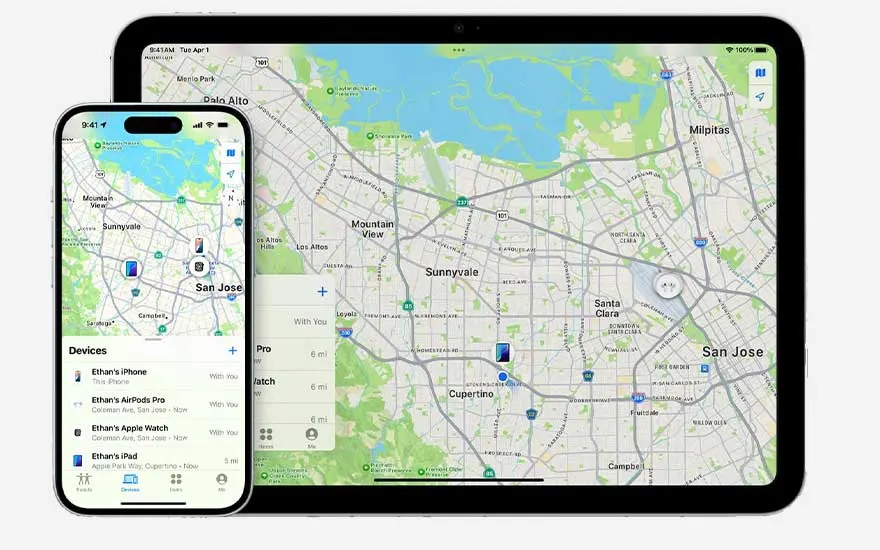
iPhone and tablet display a large city map in the Find app, with several devices highlighted so each one’s location is immediately visible.

After losing your AirPods and seeing their location in the ‘Find My’ app, you can locate them using the ‘Maps’ app on your iPhone or iPad:

  1. Open ‘Find My’ and select your AirPods.
  2. If you’re not nearby, tap ‘Directions’ to open the location in Maps and navigate to where your AirPods are.

If you have AirPods Pro 2 or Pro 3, you can also find the exact location of the charging case and earbuds using ‘Precision Finding’:

  1. Once you’re nearby, tap ‘Find’. You’ll see an arrow showing the direction and an estimated distance.
  2. For most AirPods (AirPods 4 with ANC, AirPods Pro 2 & Pro 3), you’ll only see the location of one AirPod at a time if both are out of the case.
  3. Locate the AirPod shown on the map first, place it back in the case, and refresh the map to find the other one.

Play a sound to locate your AirPods

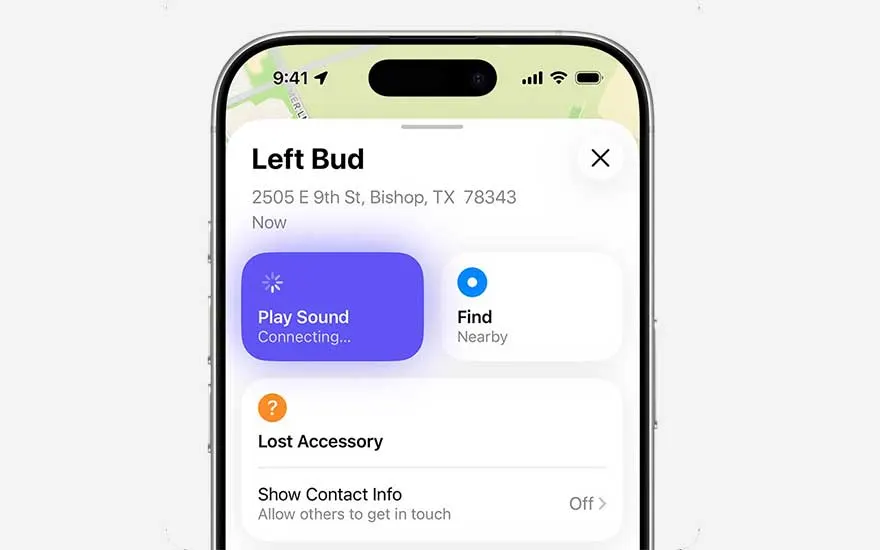
Find app screen shows details for the left earbud, with buttons to play a locating sound, find it nearby and manage lost accessory options.

You can play a sound on your AirPods if they’re out of the charging case and you want to find their location. If you have AirPods 4 (ANC), AirPods Pro 2, or AirPods Pro 3, you can also play a sound via the charging case to help locate it:

  1. Open the ‘Find My’ app.
  2. Tap ‘Devices’, select your AirPods, and tap ‘Play Sound’.
  3. A sound will play for a few minutes, helping you locate your AirPods (or case). You can stop the sound at any time.

What should you do if you can no longer find your AirPods?

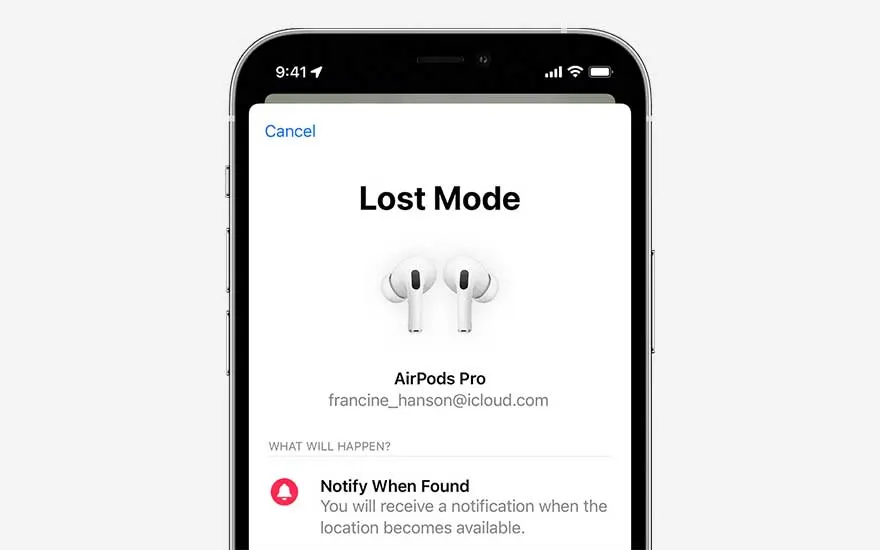
Smartphone screen shows Lost Mode for wireless earbuds, listing the owner’s email and explaining alerts that appear when they are found.

If you can’t find your AirPods at all, you can mark them as lost:

  1. Open the ‘Find My’ app and tap on your AirPods.
  2. Swipe up and, under ‘Lost’, tap ‘Lost Mode’ or ‘Show Contact Info’.
  3. Follow the on-screen instructions to display your contact details. If someone else finds your AirPods, they can contact you.

Your AirPods got stolen: what now?

Athletic woman trains intensely against a red backdrop, sweaty and focused, wearing wireless earbuds while holding a demanding workout position.

In case of theft, it’s best to activate ‘Lost Mode’ via the ‘Find My’ app. When enabled, you’ll receive notifications if the location of your earbuds changes, allowing you to continue tracking your AirPods. Keep in mind, however, that AirPods don’t have an activation lock. This means that if someone finds your original Apple earbuds, they can reset them and connect them to their own device. The thief will still see the lost message, but they can still use the earbuds.

What should you do if you’ve only lost the AirPods case?

Close up of a glossy white AirPods charging case, shown empty inside and ready to hold the earbuds, captured in a clean minimal style.

If you’ve only misplaced your AirPods case, what you can do depends on your model. Currently, only the cases for AirPods Pro (2nd and 3rd generation) and AirPods 4 with ANC can be located via the ‘Find My’ app. The case appears on the map, and you can also use the ‘Play Sound’ feature to help find it. If you have an older generation of AirPods, unfortunately, you cannot locate the case separately from the earbuds.

Our advice on finding your AirPods and charging case if you’ve lost them

A young man works intently on his laptop at a train table, wearing wireless earbuds as the scenery outside the window passes quietly by.

You can easily locate your AirPods and charging case using the ‘Find My’ app on your iPhone, iPad, Mac, or Apple Watch. The app shows their current or last known location on the map, and if you’re not nearby, you can use ‘Directions’ with Maps to walk to the spot. If you are close and have AirPods 3, AirPods 4 (ANC), AirPods Pro, or AirPods Max, you can use ‘Precision Finding’ to locate your AirPods step by step. Additionally, you can play a sound on your AirPods and, with AirPods 4 (ANC) and AirPods Pro 2 and 3, also on the charging case to find them more quickly.

Frequently asked questions

View similar items