MM logo white 1
MM logo red
Image description is not available

8 tips for using your smartphone sustainably

Roel21 JANUARY 2026
A hand holds a black smartphone above its black case; a gold phone is visible behind it.

Of course you want your (brand-new) smartphone to last as long as possible. There’s nothing better than being busy all day without having to worry about your phone’s battery. These 8 tips help make using your smartphone even more enjoyable and sustainable. The longer your phone lasts, the better for you, your wallet and our planet!

Optimise your battery use

A person in glasses wears a red shirt with a battery icon, opening a black blazer revealing a red cape. City buildings are visible.

Want to use your smartphone for even longer? First, switch on Power Saving Mode (iOS) or Battery Saver (Android) in the settings. You can also do the following:

  • Lower the brightness of the screen.
  • Switch off Bluetooth when you don’t need it.
  • Open power-hungry apps less often (such as games and navigation apps).
  • Use dark mode.
  • Set the screen to switch off automatically more quickly.

You can find these and other useful settings on Android phones under ‘Settings’ and then ‘Display’. On an iPhone you will find dark mode and Auto-Lock under ‘Display & Brightness’ in Settings. On some smartphones you will find an Extreme Power Saving mode (the terminology varies) that scales everything back to the essentials. This is especially useful in an emergency, when you really need a working smartphone to get through the day or night.

Personalise your smartphone

A person holds a magnifying glass to one eye and a yellow phone in the other hand against a yellow backdrop.

Do you find the letters on your screen too small, the colours of the menus unattractive or the readability could be better? That can all be adjusted. On an iPhone, open Settings and under ‘Display & Brightness’ choose ‘Text Size’. You can adjust it with a slider. Under ‘Accessibility’ you’ll find more options that improve readability.

On Android smartphones you’ll find many options for adjusting menus and text under ‘Display’ in Settings. Many Android phone manufacturers also offer a Themes app that lets you change colours, text style, icons and even sounds all at once. Always fun to try out!

Use your data consciously

Do you have an unlimited data bundle? Then you don’t have to worry about apps that use a lot of data. But you may have a data limit or need to be extra careful when you’re abroad. Step one is to use Wi‑Fi as much as possible, even when you go to a restaurant or stay in a hotel. Some apps use a lot of mobile data without you realising it. Want to know which ones? On an iPhone, open Settings and tap ‘Mobile Data’. Scroll down to see how much data you have used in total and per app. Here you can indicate for each app whether it’s allowed to use mobile data. On a recent Android smartphone, tap ‘Settings’ and ‘Apps’, then ‘See all apps’ to check usage per app. Here you can decide whether they’re allowed to download data on the go and restrict them if necessary. It may seem a bit of a hassle, but you’ll quickly notice that certain apps (such as social media and some games) use a lot of data.

Update your apps and your smartphone

A black smartphone displays a software update screen, charging via a white cable, resting on a wooden surface beside a white keyboard.

Quickly checking when your train or bus home is due to leave… only to find that the app no longer works. Or wanting to do some online banking, but the app isn’t up to date. Companies regularly release updates for apps, partly to make them more secure and fix bugs. It’s therefore good to update them regularly so that apps work when you need them. This can happen automatically in the background, both on iOS and Android. But sometimes such an automatic update fails. So regularly check in the Google or Apple app stores whether a new app version is available – for example before you go on holiday or a day out with the family.

Even more important is always running the latest software on your smartphone. These system updates keep your device and your data secure. Usually, you automatically receive a notification of an update, but you can also check manually. On an iPhone, open Settings and tap ‘General’ and then ‘Software Update’; on an Android smartphone you usually need to look under ‘System’ or ‘System updates’ at the bottom of Settings.

Put your phone in a case

What usually gets damaged on a smartphone? The screen, of course! Very strong types of glass are now used, but if a device slips out of your hands and lands on the floor, a crack can still appear. It may be repairable, but repairs can be expensive. So, choose a phone case before anything happens. A case can prevent a lot of damage. Various types are available, from discreet silicone cases for the back to stylish models that protect your smartphone like a book.

No scratches

Person in a teal shirt holds a white smartphone with a cracked screen. One hand covers part of the face.

You accidentally put your smartphone in your coat pocket or bag right next to your car keys. It’s not the end of the world, but it may cause small scratches on the display. Prevention is better than cure: apply a screen protector. It’s an extra protective layer that prevents scratches on the screen. And the image quality remains just as good as without a screen protector. It’s an inexpensive way to keep your smartphone looking good for longer. And if the screen protector no longer looks great after a year? Then simply replace it with a new one!

Where is your smartphone?

A finger touches a smartphone screen with app icons like TikTok, Facebook Page, Trello, Find My, and Health on a blue background.

Some people always keep their smartphone in their pocket; others leave it lying around. Are you more the second type? Then we have a trick for you so that you can quickly find your smartphone next time. Both Apple and Google offer a function for locating your smartphone. Make it ring loudly remotely and you will find it immediately – yes, even if the smartphone is on silent. For an Android smartphone, simply type ‘Find Android’ into the browser on another device to be taken to the right page. You just need to log in with your Google account.

To find your iPhone, go to icloud.com and log in with your Apple details. In both cases you see on a map where your device is and you get several options, including playing a sound. In case of theft, you can also lock a device or even erase all data on it.

Lighten your wallet

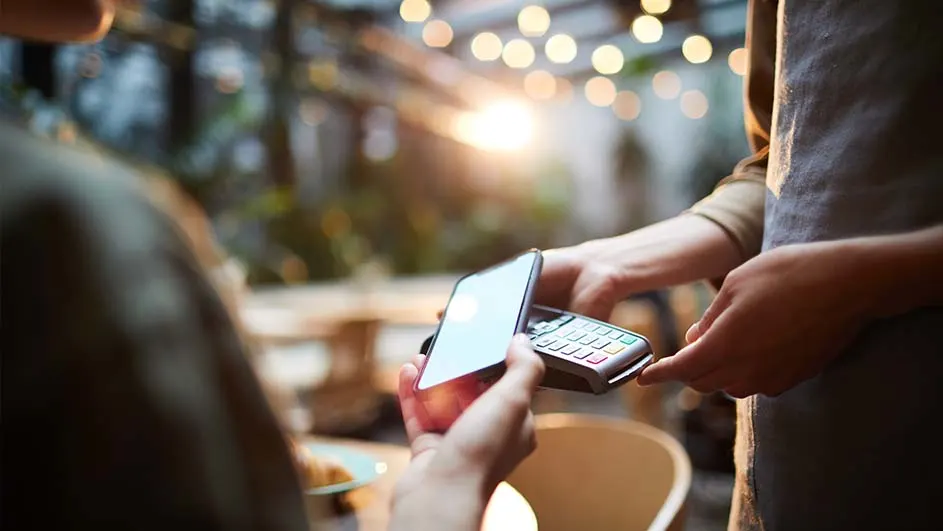
A person pays with a smartphone on a card reader held by another person in an outdoor setting with blurred lights.

Fed up with stuffing more and more loyalty cards, passes and receipts into an overfull wallet? With the Wallet app on your iPhone, you can make it much lighter by taking your cards with you digitally. Handy, because this way you’ll never lose your concert tickets again either, as you can also store them in the app. As standard, there’s (usually) no wallet app on an Android smartphone, but you can quickly find a free Android app via the Google Play Store. WalletPasses, for example. Stocard (by Klarna, and available for iOS and Android) is another free app specifically designed to store all your loyalty cards in one place. So, you no longer have to rummage through your coat pocket or bag at the checkout!

These articles might be interesting for you