
MM logo white 1
MM logo red
Image description is not available

How do you charge an iPhone wirelessly?

Roel21 JANUARY 2026
A person places a phone on a black charging pad on a wood table with a laptop nearby.

To charge your iPhone wirelessly you need a Qi certified charger. Qi is a globally recognised standard for devices that charge wirelessly in a safe and reliable way. Most Qi chargers charge your iPhone wirelessly when it’s lying on its back on the charging pad. There are also Apple MagSafe chargers, which you ‘attach’ to the adapter via a magnet. Learn more about how to charge your iPhone wirelessly.

How do you charge an iPhone wirelessly?

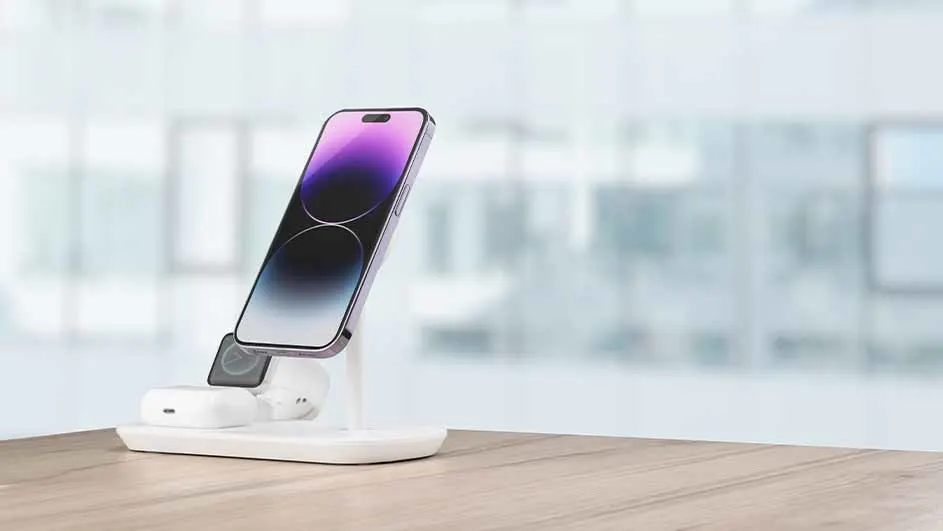
A smartphone with a purple screen rests on a white charging stand, alongside earbuds and a watch, atop a wooden surface.

You can charge your iPhone wirelessly with a Qi charger in 4 simple steps:

  1. Plug the charger into the mains.
  2. Place the charger on a horizontal surface.
  3. Put your iPhone with the back on the centre of the charging pad. Do you have a MagSafe charger? Then place the magnetic field as much as possible in the middle of the back of your iPhone.
  4. Check whether your iPhone is charging. This is the case if you see a small lightning symbol appear in the battery status bar. It may take a few seconds before your iPhone starts charging.

View all iPhones
Which iPhones can be charged wirelessly?

The iPhone 8 was the first Apple phone that you could charge wirelessly and since then every generation after it has this feature. From the iPhone 12 onwards you can also use chargers with MagSafe. Thanks to this technology, your phone sits more securely on the charger and your mobile charges faster.

Property nameWirelessly charging iPhone models without MagSafeWirelessly charging iPhone models with MagSafe
iPhone SE
Available
Unavailable
iPhone 12
Available
Available
iPhone 13
Available
Available
iPhone 14
Available
Available
iPhone 15
Available
Available
iPhone 16
Available
Available
iPhone 17
Available
Available

Can you charge wirelessly with a case on?

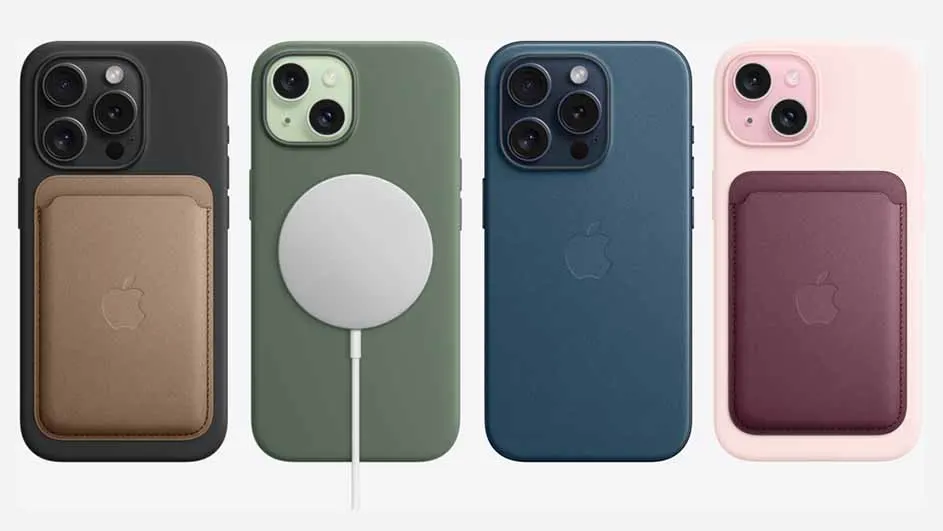
Four iPhones with cases: black with brown wallet, green with white charger, blue, and pink with purple wallet.

As long as your phone case is not too thick, you can use virtually all wireless phone chargers. If you do have a thick case, for example made of wood or metal, the signal may not get through properly and your iPhone may therefore not charge. With an Apple MagSafe charger you can be on the safe side, because this type of charger will always charge your iPhone wirelessly, regardless of the thickness of your phone case.

All wireless iPhone chargers

These articles might be interesting for you