MM logo white 1
MM logo red
Image description is not available

What’s smart lighting?

Thijs28 JANUARY 2026
Overhead shot of a phone, lightbulbs, and a square remote on an orange surface. Dotted lines connect items.

You want to buy smart lighting for your home. But what should you look out for? What possibilities are there in the field of smart lighting? We’re happy to help.

What’s smart lighting?

A woman holds a phone in a living room with a brown sofa, lamps, and tables.

Lighting, sockets and switches are one of the easiest categories to start with if you want to make your home ‘smart’. They make it possible to switch lights and other devices on and off automatically, but also to control them from the comfort of your sofa. Just imagine: you go to bed and, while you’re already half asleep, you switch everything in your whole house off with a single tap of a button. With smart lighting you can also always create the right atmosphere, because you often have a choice of several white tones and colours.

All about smart home

Products for smart lighting

If you want to light your home smartly, you need 3 types of products: lights, dimmers/switches and remote controls.

A person rests in bed near a round, bright lamp on a book, casting a warm glow in the pink-toned room.

Smart bulbs and fittings

There are separate (LED) bulbs available, as well as complete fittings, such as recessed spotlights. For both indoors and outdoors.

All smart lighting
A woman sits on a sofa with a plush toy as a child reaches for a light switch in a pink-lit room with a plant.

Controlling smart lighting

Wireless control elements that you can build into existing switches, or mount separately on the wall.

All smart control elements

Where do you start?

A hand holds a lit light bulb, emitting a bright glow with orange sparks around it, against a dark background.

There are different smart lighting systems. For example, there’s the advanced Philips Hue, INNR, and the simpler but more affordable WiZ. A good way to start is by buying a starter kit with smart lighting. Such a kit contains everything for the first steps: one or more bulbs, a base station/control station and a switch. The base station is, of course, the foundation. You connect this to your router via a network cable. You then add lights and accessories via the app for your smartphone/tablet. The base station itself communicates with the other lighting equipment via its own wireless connection, usually via Zigbee.

How Philips Hue works

Not all systems use a base station that needs to be connected to your router. In that case, communication runs via Wi‑Fi instead of Zigbee. With these systems, which are often simpler, you can control the lights directly. The lights have their own ‘hub’. The disadvantage is that your router can’t support large numbers of lights, but for a small set-up these systems are perfectly fine.

Controlling and setting smart lighting

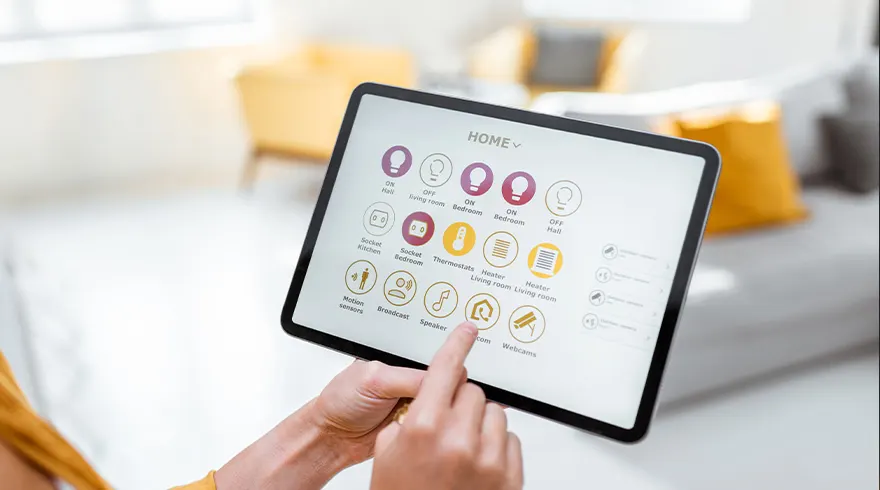
A tablet displays a home automation interface with lighting, thermostats, and security options, touched by a person.

You control the complete system via a wall switch or app on your smartphone or tablet. With an app you can also divide your home into rooms (for example living room, kitchen, hall) and then indicate which lights are in which rooms. Once you’ve done that, you can switch all the lights in a room on or off with a single button. If you have coloured lights, you can also activate a scene.

With systems such as Philips Hue it’s possible to control the lighting with your voice. In the case of Philips Hue, Amazon Alexa, Apple HomeKit and Google Assistant are supported. That way you can ask your lights to dim when you’re watching a film on the sofa.

Expanding smart lighting

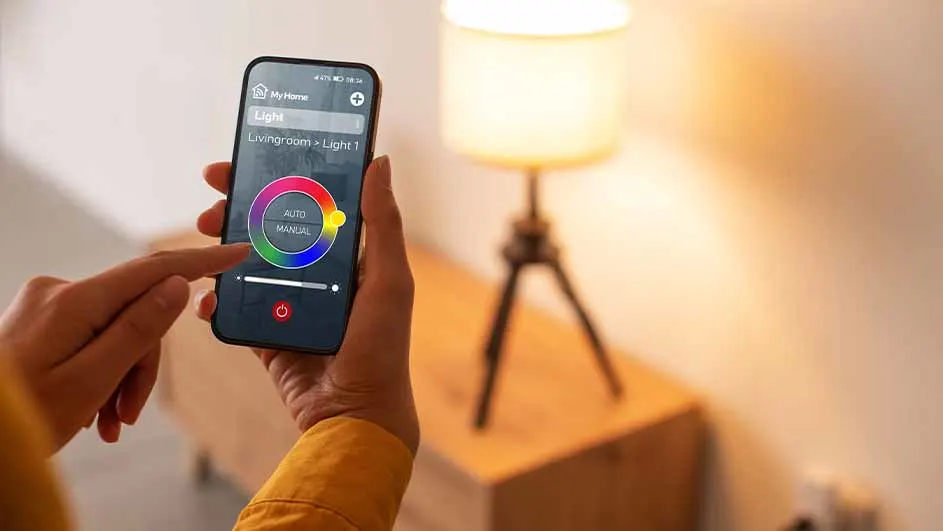
A person uses a smartphone app to control a lamp. The lamp, on a wooden surface, glows warmly. The app shows a color wheel.

Further expansion is very easy: you buy extra lights and connect them to your base station. You also do this via the app on your smart device. You can then assign them to a room. There are also complete fittings, including LED bulbs, that you can add to your smart lighting system, for example in the form of recessed spotlights.

Smart sockets

Four white plugs are on a white surface with plants in white pots and a black box in the background.

As well as buying smart lighting, you can make existing lights smart. You do this with smart sockets. You plug these smart sockets into a normal socket that’s already there. They are actually smart plugs with a built-in socket. If you’re getting a new-build home or renovating, you can even have smart sockets and switches built in.

What should you look out for?

Potted plants and hanging lights fill the frame against a light orange wall with a white, geometric pattern along the bottom.

To use smart lighting optimally, you need a reliable and fast network. Also think about what type of lighting you want and how many lights you need, and for which rooms. In your study, for example, you may want bright white work light, while in the living room you might prefer coloured bulbs that create a cosy atmosphere. Ultimately, you can make the system as smart as you like. You can stick to 1 or 2 lights in the living room, or go all out by combining your lighting with motion sensors. You can then set, for example, that at night when you go to the toilet, dimmed white light switches on automatically. Do bear in mind with this last option that you should always use official LED dimmers. Otherwise, the power may not be constant enough, which can cause ‘flickering’ lights. In that case it’s better to first install a standard on/off switch.

These articles might be interesting for you